Home / Communication & Collaboration
How Email Delivery Works: The Step-by-Step Journey From Send to Inbox
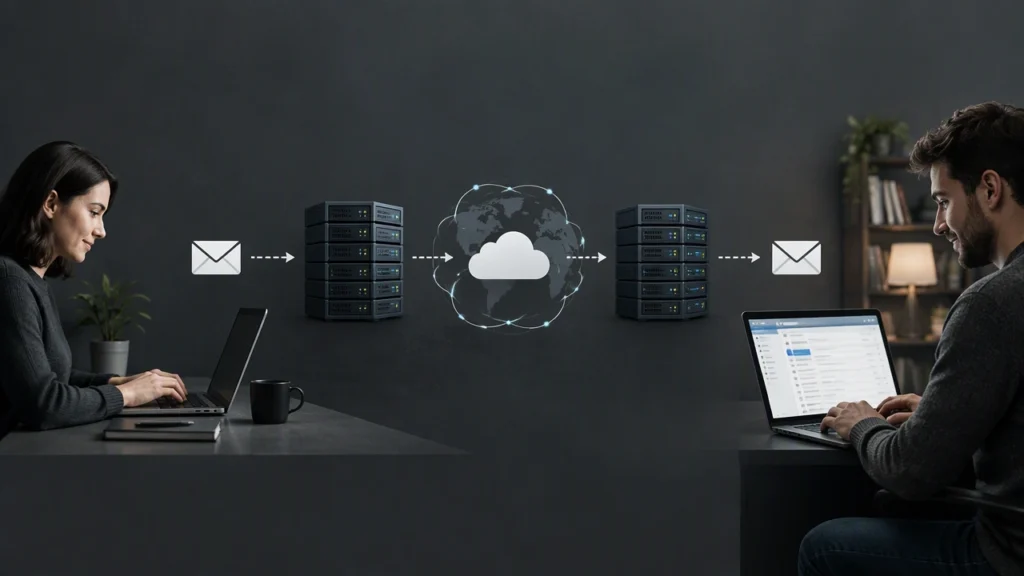
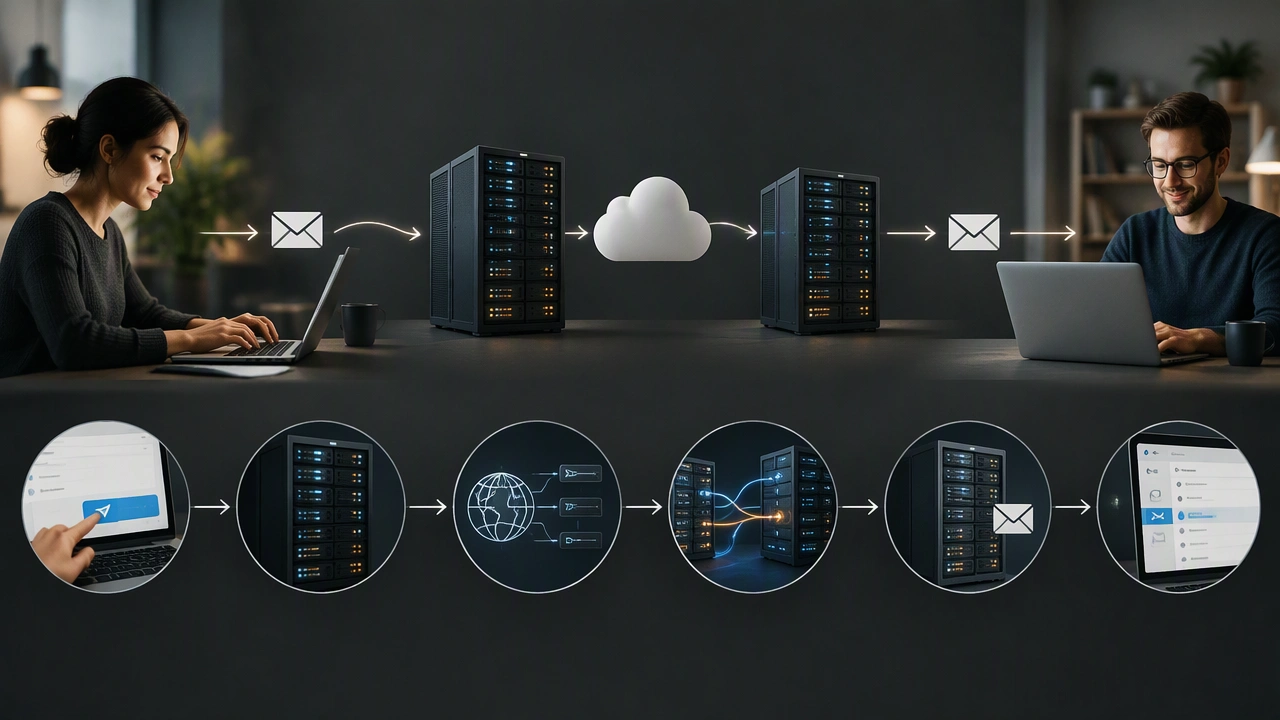
Every day, billions of emails travel across the internet in seconds. Most people click “Send” and assume the message simply appears in the recipient’s inbox. In reality, an email passes through a surprising number of systems, protocols, and checks before it lands where it is supposed to. Understanding how does email delivery work step by step gives you a clearer picture of the web services that power modern communication and collaboration, and it helps you troubleshoot problems when messages go missing or end up in spam.
Stage 1: Composing and Sending the Message
The journey begins on your device. Whether you use a webmail interface like Gmail, a desktop application like Thunderbird, or a mobile app, the process is similar. You write your message, add recipients, attach files if needed, and press Send.
At that moment, your email client connects to an outgoing mail server using SMTP, which stands for Simple Mail Transfer Protocol. SMTP is the standard protocol for sending email across the internet. Your client authenticates with the server (usually with a username and password or an app-specific token), hands over the message, and the server takes responsibility for delivering it.
The outgoing server is often called an MTA, or Mail Transfer Agent. Popular examples include Postfix, Exim, and Microsoft Exchange. The MTA examines the recipient’s email address, extracts the domain name (the part after the @ symbol), and prepares to route the message onward.
Stage 2: DNS Lookup and MX Record Resolution
Before the MTA can deliver anything, it needs to know where to send the message. It performs a DNS lookup to find the MX records (Mail Exchange records) associated with the recipient’s domain. MX records are special entries in the Domain Name System that specify which mail servers are authorized to receive email for a given domain.
If the recipient is [email protected], the sending server queries DNS for the MX records of example.com. The response returns one or more hostnames along with priority values. The sending server then attempts to connect to the highest-priority mail server on port 25, the standard SMTP port.
If no MX records exist, the server falls back to looking for an A record (a regular IP address record) for the domain. This fallback mechanism ensures that even domains without explicit mail configuration can still receive email in many cases.
Stage 3: SMTP Transmission Between Servers
Once the sending server has the recipient’s mail server address, it establishes an SMTP connection between the two servers. This server-to-server communication is sometimes called relaying. The sending MTA introduces itself, declares the sender and recipient addresses, and transmits the full message content, including headers, body, and any attachments.
The receiving server acknowledges each step of the conversation. If the recipient address is valid and the server accepts the message, it returns a success code. If the address does not exist or the server refuses the message for policy reasons, it returns an error, and the sending server may generate a bounce message back to the original sender.
Modern email infrastructure often involves multiple hops. A message might pass through several relay servers before reaching the final destination. Each hop follows the same SMTP handshake process, ensuring reliable, store-and-forward delivery.
Stage 4: Spam Filtering and Security Checks
Before the message is placed into any mailbox, it passes through a gauntlet of spam filters and security scans. This stage has become increasingly sophisticated over the years as spam volumes have grown.
The receiving server typically evaluates several factors:
- Sender reputation: The server checks whether the sending IP address has a history of sending spam. Services like DNSBLs (DNS-based blocklists) maintain databases of known spam sources.
- Authentication results: The server verifies SPF (Sender Policy Framework), DKIM (DomainKeys Identified Mail), and DMARC (Domain-based Message Authentication, Reporting, and Conformance). These protocols help confirm that the message genuinely came from the domain it claims to originate from.
- Content analysis: The server scans the message body and headers for patterns commonly associated with phishing, malware, or spam. This includes suspicious links, known malicious attachments, and deceptive formatting.
- User-specific rules: Many providers also apply personalized filters based on the recipient’s past behavior, such as which senders they typically interact with.
Messages that fail these checks may be rejected outright, routed to a spam or junk folder, or flagged with a warning. Legitimate senders who configure SPF, DKIM, and DMARC correctly see much better deliverability rates.
Stage 5: Storage in the Recipient’s Mailbox
Once the message clears all checks, the receiving server places it into the recipient’s mailbox. In a typical setup, this means writing the message to a storage system on the mail server. The mailbox is essentially a database or a directory structure where all of a user’s messages are kept.
The server also indexes the message so it can be searched and retrieved efficiently. At this point, the email has been delivered, but the recipient has not necessarily seen it yet.
Stage 6: Retrieval With IMAP or POP3
To actually read the email, the recipient’s device connects to the mail server using a retrieval protocol. The two most common options are IMAP (Internet Message Access Protocol) and POP3 (Post Office Protocol version 3).
IMAP is the modern standard and the one most people use today. It keeps messages stored on the server and synchronizes state across multiple devices. When you read, delete, or move an email on your phone, those changes reflect on your laptop as well. IMAP supports folders, flags, and server-side search, making it ideal for users who access email from several devices.
POP3, by contrast, typically downloads messages to a single device and may remove them from the server afterward. It is simpler but less flexible, and it has largely fallen out of favor for everyday use.
When the recipient opens their email client, it connects to the server via IMAP, fetches the list of messages, and displays new arrivals. The entire round trip, from clicking Send to seeing the message appear in an inbox, often takes just a few seconds.
Why This Process Matters
Understanding the full path of an email helps in several practical ways. If a message you sent bounces back, knowing about DNS MX records and SMTP error codes helps you diagnose the problem. If your emails consistently land in spam, understanding SPF, DKIM, and DMARC points you toward concrete fixes. If your inbox feels slow or out of sync across devices, the difference between IMAP and POP3 explains why.
The email system is one of the oldest and most resilient parts of the internet. Its layered design, built on well-defined protocols like SMTP and IMAP, allows different servers and clients from different vendors to interoperate seamlessly. The next time you send a message, you will know exactly what happens behind the scenes to make it arrive.