How Your ISP Connects You: The Role of Fiber and Last-Mile Networks in Home Internet
When you open a browser, stream a film, or join a video call, the connection feels instant and invisible. Behind that simplicity, however, is a vast physical network of cables, exchanges, and distribution points. If you have ever wondered how does an ISP provide internet access to homes, the answer is not magic but infrastructure: a carefully built chain that carries data from the global internet backbone all the way to the router in your living room.
What Is an ISP and What Does It Actually Do?
An Internet Service Provider, or ISP, is the company that connects your home or business to the internet. It does not create the internet itself, but it provides the authorized pathway to reach it. Think of the ISP as both a network builder and a traffic manager.
At a basic level, an ISP performs three essential roles:
- Building and maintaining access infrastructure: This includes the cables, cabinets, and equipment in your neighborhood that physically link your home to the larger network.
- Connecting to the global internet: ISPs purchase connectivity from larger upstream networks and internet exchange points where global data routes converge.
- Managing data delivery: The ISP assigns your home an IP address, routes your requests to the correct destinations, and returns the data, while managing speed, capacity, and network reliability.
Without an ISP, your home network would be isolated. You could connect devices to each other via Wi-Fi, but you would have no route to the outside world. The ISP is the bridge between your private home network and the public internet.
From the Global Backbone to Your City
The journey of internet data begins far from your home. The core of the internet is made of backbone networks — ultra-high-capacity fiber optic cables that run across continents, under oceans, and between major cities. These cables connect massive data centers and internet exchange points where different networks meet and exchange traffic.
National and regional ISPs connect to this backbone at points of presence. From there, they build their own regional and metro networks that carry data closer to customers. This middle section is often called the distribution or aggregation network. It uses large fiber rings that loop around cities and towns, connecting central offices or local exchanges.
At the local exchange, the network is divided again. Fiber lines run from the exchange to street cabinets or distribution hubs that serve a few hundred homes each. This hierarchical design keeps the network efficient: instead of running a separate long-distance cable to every single house, the ISP shares high-capacity fiber for the long haul and only splits it as it gets closer to the end user.
Fiber Optics: The High-Speed Highway
Fiber optics are the foundation of modern ISP networks. Unlike older copper telephone lines that transmit electrical signals, fiber uses pulses of light traveling through thin strands of glass. This allows for far greater speed, capacity, and reliability.
A single fiber pair can carry terabits of data per second, enough for thousands of homes to stream, game, and work simultaneously. Light signals also degrade much less over distance and are immune to electromagnetic interference, which means fewer errors and more consistent performance. That is why ISPs have spent the last decade replacing copper backbone and distribution links with fiber, even in areas where the final connection to the home is still another technology.
For many providers, the goal is to extend fiber as close to the home as possible. The closer fiber gets to your router, the higher the potential speed and the lower the latency you will experience.
The Last Mile: The Final Connection to Your Home
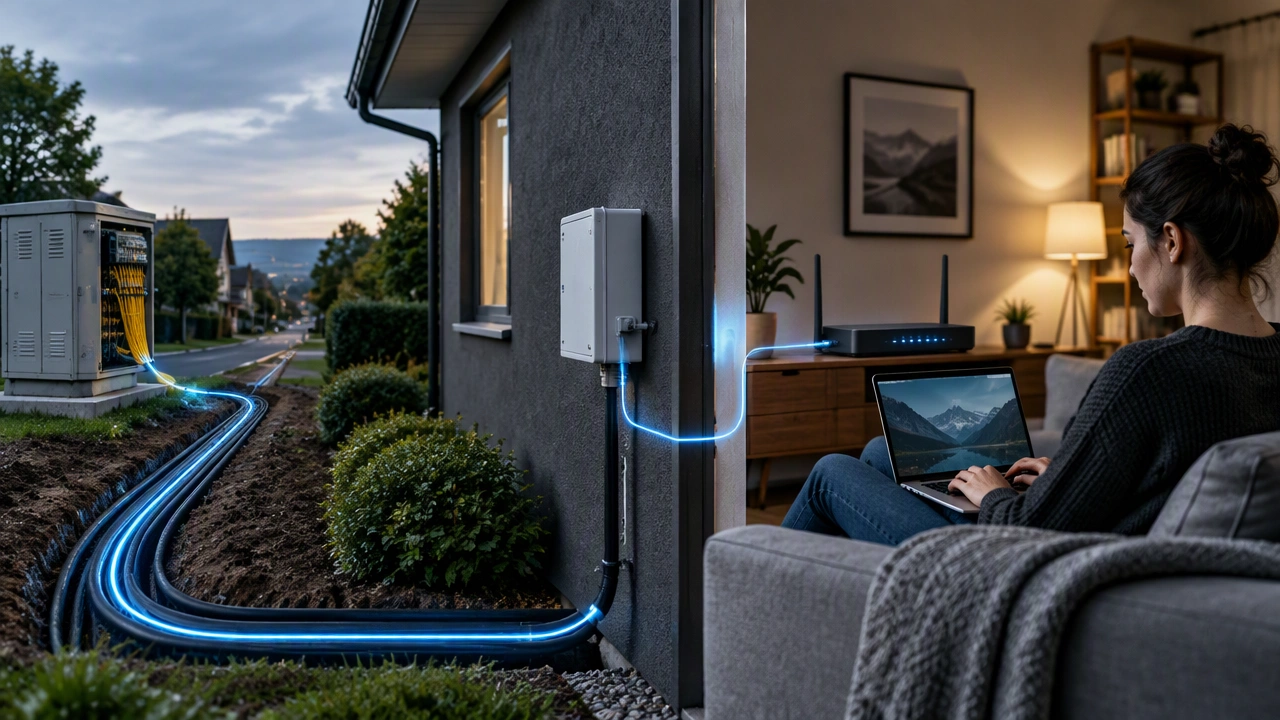
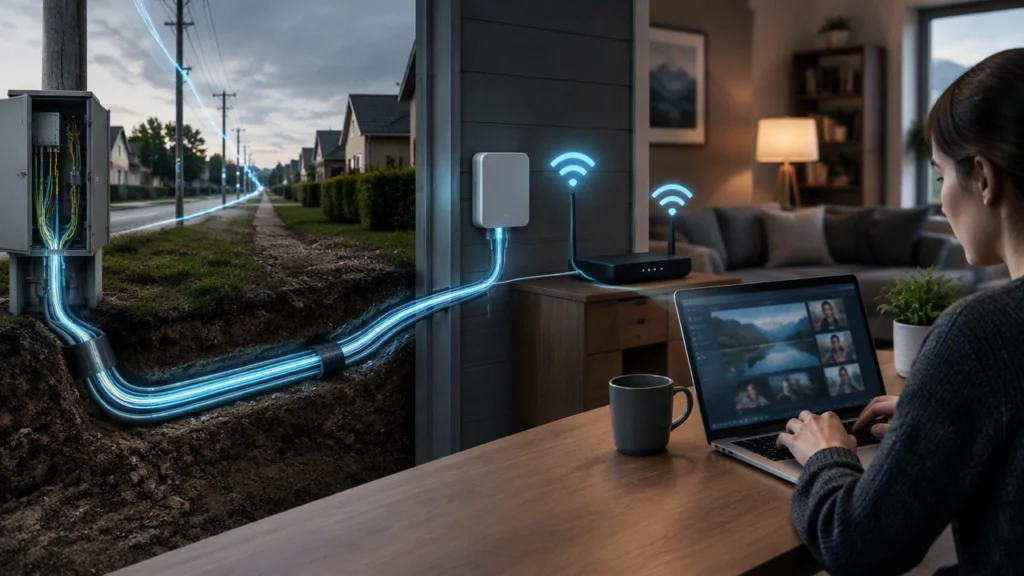
The most complex and expensive part of the network is the last mile — the final stretch from the street cabinet or pole to your house. This last segment determines the type of service you can get, the maximum speed available, and how the installation looks at your property. ISPs use several different last-mile technologies depending on location, housing density, and existing infrastructure.
Fiber to the Home (FTTH)
This is the most advanced last-mile solution. A dedicated fiber strand runs directly from the distribution hub to an optical network terminal installed at your home. Because the entire path is light-based, FTTH offers symmetrical speeds, very low latency, and excellent future capacity. It requires new fiber to be laid along streets and into buildings, which is why deployment takes time, but it is now considered the long-term standard.
Hybrid Fiber-Coaxial (HFC)
Commonly used by cable providers, HFC brings fiber to a neighborhood node and then uses existing coaxial cable for the final few hundred meters to each home. Coaxial cable has more capacity than telephone copper and can deliver high download speeds, often several hundred megabits per second. The shared nature of the coaxial segment means speeds can vary during peak hours, but upgrades like DOCSIS 3.1 and 4.0 have significantly improved performance.
Digital Subscriber Line (DSL)
DSL repurposes the traditional copper telephone line for internet access. Fiber still reaches the street cabinet, but the last leg to the home is copper. Because electrical signals weaken quickly over copper, speed and stability drop sharply with distance from the cabinet. While widely available, DSL is gradually being replaced by fiber where possible due to its limited bandwidth.
Fixed Wireless and 5G
In rural or hard-to-reach areas where laying cables is impractical, ISPs use fixed wireless. A fiber-connected tower transmits internet via radio signals to an antenna on your home. Modern 5G-based fixed wireless can deliver competitive speeds and is faster to deploy, though it is more sensitive to distance, obstacles, and weather than a wired line.
In all cases, the ISP is responsible for installing, powering, and maintaining this last-mile link, ensuring the signal remains strong and stable from the street to your property line.
Inside Your Home: From the Wall to Wi-Fi
The ISP’s responsibility ends at a demarcation point, usually a small box on your wall and the modem or optical network terminal it provides. This device translates the signal from the last-mile network — whether light, electrical, or radio — into a standard Ethernet connection.
Your router then takes over, creating your private home network. It assigns local addresses to your devices, manages Wi-Fi, and directs traffic between your phones, laptops, and smart devices and the ISP’s network. While the ISP ensures data reaches your home quickly, your router, its placement, and your internal wiring determine how well that connection is shared inside the house.
Why Understanding This Infrastructure Matters
Knowing how your connection is built helps you make better decisions as a customer. If fiber is available on your street, you can expect higher and more consistent speeds than with copper-based options. If your home uses a shared coaxial or wireless last mile, you will understand why speeds may fluctuate in the evening.
It also explains why installation times, availability, and pricing vary so much by address. Building and maintaining physical networks — digging trenches, laying fiber, powering cabinets, and repairing last-mile lines — is a major logistical effort. The quality of that local infrastructure, not just the advertised plan, ultimately defines your daily internet experience.
From undersea backbone cables to the small terminal on your wall, every part of the chain works together. The ISP’s role is to integrate these layers — backbone, distribution, and last mile — into a single, reliable service that brings the global internet directly to your home.