Home / Infrastructure & Protocols
How DNS Turns Domain Names Into IP Addresses and What Happens When It Fails

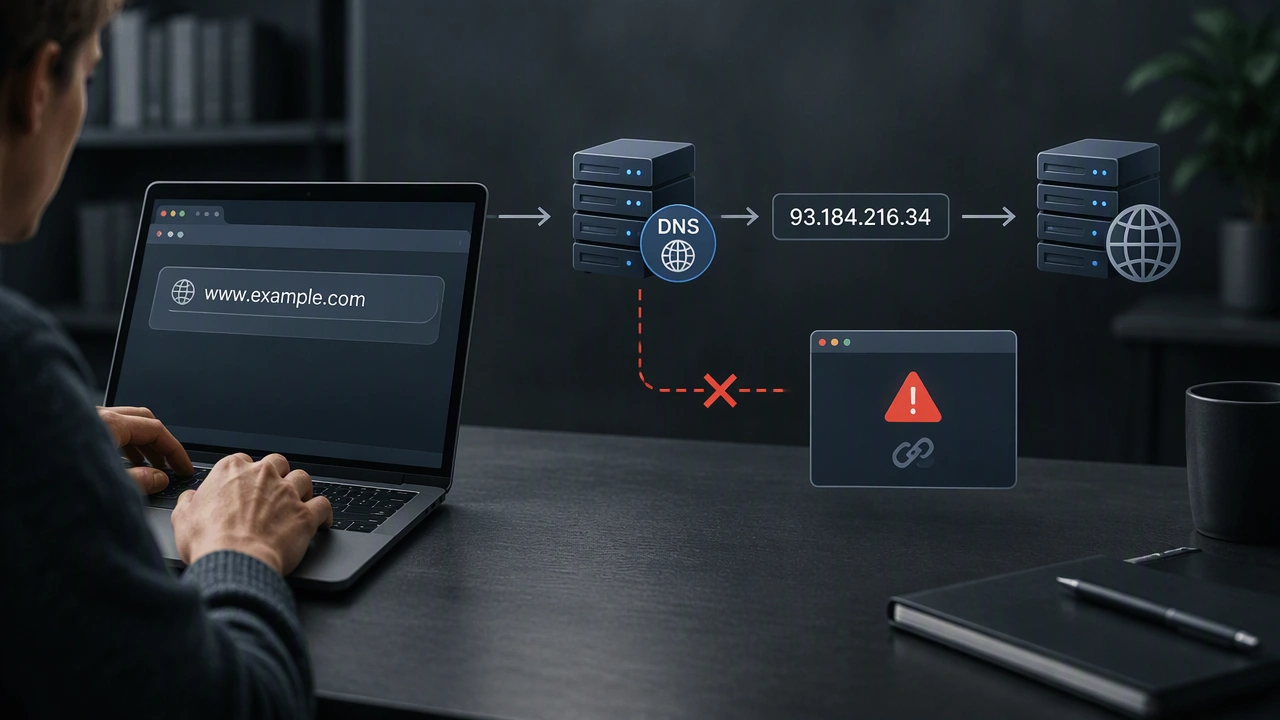
Every time you type a website address like example.com into your browser, you are using a name humans can remember. Computers, however, identify each other with numerical IP addresses, such as 93.184.216.34 for IPv4 or longer hexadecimal strings for IPv6. The Domain Name System, or DNS, is the distributed global service that bridges this gap. It is often called the phone book of the internet, but it is more accurate to think of it as an automated, hierarchical lookup service that operates in milliseconds every time you click a link, open an app, or send an email.
What DNS Actually Does
At its core, DNS provides name resolution. It takes a fully qualified domain name and returns the corresponding IP address your device needs to establish a connection. Without this translation, you would need to memorize the IP address for every site you use, and those addresses can change without notice when a website moves to a new server or uses a content delivery network. DNS also handles more than basic address mapping. It stores different types of records, including A records for IPv4 addresses, AAAA records for IPv6 addresses, CNAME records for aliases, and MX records for mail servers. This makes it a foundational infrastructure protocol that supports web browsing, email delivery, streaming, and almost every other internet service.
How Does DNS Translate Domain Names to IP Addresses?
So, how does DNS translate domain names to IP addresses in practice? The process is a coordinated query chain across several types of servers, designed for speed, redundancy, and scalability. When you enter a URL, your operating system first checks its own local cache to see if it has recently resolved that name. If not, the request is forwarded to a recursive resolver, usually operated by your internet service provider or a public service like Cloudflare or Google Public DNS. The resolver then does the heavy lifting on your behalf, walking through the DNS hierarchy until it finds the authoritative answer.
- Browser and OS cache check: Your computer looks for a recent answer in memory to avoid a new lookup.
- Recursive resolver query: If no cached answer exists, the query goes to the resolver your device is configured to use.
- Root server referral: The resolver asks one of the 13 logical root server clusters where to find information about the top-level domain, such as .com or .org.
- TLD server referral: The root directs the resolver to the appropriate Top-Level Domain server, which knows where the authoritative servers for that domain are.
- Authoritative answer: The authoritative name server, managed by the domain owner or their DNS provider, returns the correct IP address.
- Return and cache: The resolver caches the result for a time defined by the record’s TTL and returns the IP address to your device, which can then connect to the web server.
The Roles of Root, TLD, and Authoritative Servers
This hierarchy prevents any single server from needing to know every domain on the internet. Root servers only know how to find TLD servers. TLD servers only know how to find authoritative servers for domains within their extension. Only the authoritative server holds the final, definitive records for a specific domain. This delegation allows the system to scale to billions of names while remaining decentralized and resilient.
Why Caching Matters
Every DNS record includes a Time To Live value, or TTL, which tells resolvers how long they can store the answer before asking again. Caching dramatically reduces lookup time and global DNS traffic. A popular domain with a TTL of 300 seconds will be cached for five minutes, so subsequent requests can be answered instantly without walking the full hierarchy again. When a site changes its IP address, cached entries can cause a short delay before the new address propagates everywhere.
What Happens When DNS Fails?
When DNS fails, your browser cannot obtain the IP address it needs, so it cannot even attempt to connect to the server. You will typically see errors like DNS_PROBE_FINISHED_NXDOMAIN, ERR_NAME_NOT_RESOLVED, or Server Not Found, even though your Wi-Fi or ethernet connection shows as connected. Because DNS is required for almost every online action, a failure can make it appear that the entire internet is down, when only the translation layer is broken. Email clients cannot find mail servers, apps cannot reach their APIs, and smart home devices may go offline.
Common Causes of DNS Failure
- Resolver outage: If your ISP’s resolver or a public resolver has an outage, all lookups through it will fail.
- Authoritative server misconfiguration: An incorrect, missing, or expired DNS record on the domain’s authoritative server makes the domain unresolvable for everyone.
- Expired domain registration: If a domain is not renewed, its authoritative records are removed from the TLD zone.
- Local cache poisoning or stale cache: Corrupted or outdated cached entries can redirect you to the wrong address or nowhere at all.
- Network and firewall issues: Firewalls, parental controls, or VPNs that block port 53, the port used for DNS queries, will prevent resolution.
- DDoS attacks on DNS infrastructure: Large-scale attacks can overwhelm DNS providers and make large portions of the web unreachable.
Why a DNS Failure Feels Like the Internet Is Down
DNS is a single point of dependency for usability. Your device may still have a perfect physical connection to the internet and be able to ping an IP address directly, but without name resolution, human navigation stops. Modern browsers do not automatically fall back to alternative lookup methods. This is why technicians often test connectivity by pinging 8.8.8.8 or 1.1.1.1 directly. If that ping succeeds but names do not resolve, they have isolated the problem to DNS rather than general connectivity.
How to Recognize and Troubleshoot DNS Issues
Recognizing a DNS problem can save time compared to rebooting your entire network unnecessarily. If only one site fails while others load, the issue is likely with that domain’s authoritative DNS. If every site fails but you can still access services by IP address, the problem is almost certainly your configured resolver. Simple steps can often restore service quickly.
- Try a different device or network: Check if the site loads on mobile data to isolate a local resolver issue.
- Flush your local DNS cache: Operating systems store recent lookups, and clearing them forces a fresh query.
- Switch to a public resolver: Changing your DNS settings to 1.1.1.1 or 8.8.8.8 can bypass a failing ISP resolver.
- Restart your router: Routers also cache DNS results, and a restart clears that cache.
- Check for typos and domain status: A simple misspelling will produce an NXDOMAIN error that looks like a failure.
Understanding how DNS translates domain names to IP addresses reveals both the elegance and the fragility of core internet infrastructure. The system is highly distributed and optimized for speed through caching and hierarchy, yet it remains essential for every connection. When it works, it is invisible. When it fails, it reminds us that the web depends not just on cables and servers, but on the quiet, constant translation that turns names we remember into addresses machines understand.